
Plan Elevation and Section Drawings PDF: A Comprehensive Guide
Navigating architectural projects demands understanding crucial drawings; PDFs offer accessible, shareable formats for plan, elevation, and section views, streamlining design and construction processes.
Understanding Architectural Drawings
Architectural drawings are the fundamental language of the building industry, visually communicating a design’s intent to builders, clients, and stakeholders. These aren’t simply artistic renderings; they are precise, scaled representations governed by conventions and standards. Plan, elevation, and section drawings each offer a unique perspective, collectively forming a comprehensive understanding of a structure.
PDFs have become the standard for distributing these drawings due to their portability, universal readability, and ability to retain formatting across different platforms. Unlike traditional blueprints, PDFs are easily shared digitally, reducing the risk of damage or loss. They also support annotations and markups, facilitating collaboration and revisions. Understanding how to interpret these drawings, especially in PDF format, is crucial for anyone involved in construction, renovation, or property development. Mastering these skills unlocks the ability to visualize and comprehend a building before it’s even built.
What are Plan, Elevation, and Section Drawings?
Plan drawings provide a “bird’s-eye view,” depicting the layout of rooms, walls, doors, and windows as if viewed from above. They illustrate the horizontal relationships within a building. Elevation drawings, conversely, show the exterior facades of a structure, presenting a flat, two-dimensional representation of what you’d see standing directly in front of it. These highlight features like rooflines, materials, and window/door placement.
Section drawings are arguably the most complex, acting as vertical “cut-throughs” of the building. They reveal internal construction details – floor heights, wall composition, structural components, and insulation. When presented as PDFs, these drawings maintain clarity and allow for detailed examination. Each type is essential, and together they offer a complete spatial understanding of the design, crucial for accurate construction and informed decision-making.
The Importance of PDF Format for Architectural Plans
PDFs have become the industry standard for sharing architectural plans due to their universal accessibility and preservation of design integrity. Unlike native CAD files, PDFs don’t require specialized software to view, ensuring all stakeholders – clients, contractors, engineers – can easily access and review the designs. This format guarantees consistent visual representation across different devices and operating systems, eliminating formatting discrepancies.

Furthermore, PDFs support high-resolution images, crucial for detailed drawings like plan, elevation, and section views. They also allow for annotations, markups, and commenting, facilitating efficient communication and collaboration. The compact file size of PDFs makes them easy to email and store, streamlining project workflows and reducing storage costs. Security features within PDFs can also protect sensitive design information.

Detailed Breakdown of Each Drawing Type
Exploring plan, elevation, and section drawings reveals distinct perspectives; each view provides essential information for visualizing and constructing a building effectively.
Plan Drawings: The Bird’s-Eye View
Plan drawings, often called floor plans, present a horizontal cut through a building, typically a few feet above the floor, offering a “bird’s-eye view”. These PDF documents illustrate the arrangement of rooms, walls, doors, windows, and fixed fixtures. They are fundamental for understanding the spatial relationships within a structure and are crucial for space planning and furniture layout.
Key elements within plan drawings include wall dimensions, door swing directions, window placements, and the location of plumbing fixtures. Symbols are extensively used to represent these elements, requiring careful interpretation. Scale is paramount; accurately reading the scale allows for precise measurements and understanding of the building’s proportions.
PDF format ensures easy sharing and viewing of these complex layouts. Digital plans allow for zooming and panning, facilitating detailed examination. Annotations and markups can be added directly to the PDF, streamlining communication between architects, contractors, and clients. Properly organized PDF plans are essential for efficient construction and renovation projects.
Elevation Drawings: The Exterior Facade
Elevation drawings depict the exterior faces of a building, presenting a two-dimensional, front-on view as if you were standing directly opposite it. These PDF representations showcase the building’s architectural style, materials, and overall aesthetic. They are vital for visualizing the building’s appearance and understanding its exterior features.
Key components illustrated in elevation drawings include rooflines, window and door heights, exterior wall materials (brick, siding, stucco), and any decorative elements. Accurate depiction of these features is crucial for construction and ensuring the final product matches the design intent.
PDF format allows for clear and concise presentation of these exterior views. Digital PDF elevations facilitate easy sharing and review. Annotations can be added to highlight specific details or suggest modifications. Properly detailed PDF elevations are essential for contractors to accurately build the exterior of the structure, ensuring visual harmony and structural integrity.
Section Drawings: The Cut-Through View
Section drawings, often presented as PDF documents, offer a unique perspective – a virtual slice through the building. Imagine cutting a building in half and looking at the interior; that’s precisely what a section drawing illustrates. These views reveal the relationship between different floors, wall construction, and internal elements.
Critical details showcased in section drawings include floor heights, structural components like beams and columns, insulation layers, and the connection between walls, floors, and the roof. They are indispensable for understanding the building’s internal construction and ensuring structural soundness.
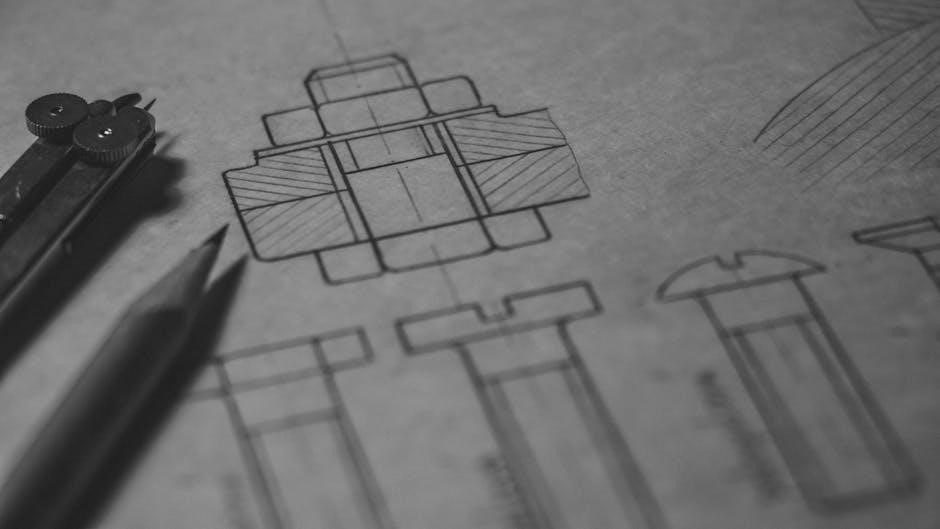
PDF format allows for detailed layering of information within the section view. Digital annotations can clarify material specifications or highlight potential construction challenges. Accurate PDF section drawings are vital for contractors, engineers, and inspectors to verify the building’s internal integrity and compliance with building codes.

Key Elements Found in Each Drawing
PDF architectural drawings – plans, elevations, and sections – utilize specific symbols and dimensions to convey vital design information for construction and review.
Plan Drawing Elements: Walls, Doors, Windows, and Fixtures
Plan drawings, viewed from above, meticulously detail a building’s layout. Walls are represented by lines, varying in thickness to indicate construction type – solid, framed, or partition walls. Doors are shown with swing arcs, illustrating their opening direction, and are labeled with size and fire-rating information within the PDF.
Windows are depicted as line breaks within walls, often with notations specifying height, width, and sill height. Crucially, fixtures – sinks, toilets, appliances – are represented by standardized symbols, clearly indicating their location and type. Dimensions are paramount, precisely defining room sizes and the placement of these elements.
Hatching and patterns within the PDF denote different flooring materials. Accurate scaling and consistent symbol usage are essential for clear interpretation, ensuring builders can accurately translate the plan into a physical structure. These elements, when combined, create a comprehensive overview of the building’s spatial organization.
Elevation Drawing Elements: Rooflines, Materials, and Openings
Elevation drawings showcase a building’s exterior facades, presenting a flat, two-dimensional view. Rooflines are prominently displayed, detailing pitch, overhangs, and any architectural features like dormers or chimneys, all clearly visible within the PDF. Materials are indicated through shading, patterns, or specific notations – brick, siding, stucco – providing a visual representation of the building’s exterior finish.
Openings, including doors and windows, are shown as rectangular shapes, with dimensions indicating their size and placement relative to the ground. Details like window trim, lintels, and sills are also represented. Height datums are crucial, establishing the building’s overall height and floor levels.
The PDF often includes notes on exterior lighting fixtures and landscaping elements. Accurate depiction of these elements is vital for understanding the building’s aesthetic and ensuring proper construction, offering a clear visual guide for the exterior appearance.
Section Drawing Elements: Floor Heights, Structural Components, and Insulation
Section Drawing Elements: Floor Heights, and Structural Components, and Insulation
Section drawings, presented within a PDF, reveal a building’s internal construction by cutting through it vertically. Floor heights are precisely indicated, showing the distance between floors and the overall building height. Structural components – walls, beams, columns, and foundations – are clearly depicted with appropriate line weights and hatching to differentiate materials like concrete, steel, or wood.
Insulation is represented using specific patterns or shading, indicating its location within walls, roofs, and floors, crucial for energy efficiency. Details of floor slabs, roof construction, and foundation depths are also visible.
These drawings often include annotations specifying material types, dimensions, and construction details. The PDF format allows for easy sharing and review of these complex internal views, ensuring accurate construction and adherence to building codes.

Creating and Obtaining PDF Drawings
Architectural drawings originate digitally, utilizing software like AutoCAD or Revit, then converting to PDF for easy distribution and viewing accessibility.
Software Used for Creating Architectural Drawings (AutoCAD, Revit, SketchUp)
AutoCAD, a foundational tool, excels in precise 2D drafting and detailed design, offering extensive customization for creating accurate plan, elevation, and section drawings. However, it requires significant manual effort for 3D modeling.
Revit, conversely, is a Building Information Modeling (BIM) software, enabling parametric modeling – changes in one view automatically update others. This fosters design consistency and facilitates collaboration, making it ideal for complex projects and generating comprehensive PDF documentation.
SketchUp provides a more intuitive, user-friendly approach, particularly for conceptual design and visualization. While less precise than AutoCAD or Revit, it’s excellent for quickly exploring design options and creating compelling presentations, which can then be exported as PDFs. Each software caters to different needs, impacting the final PDF drawing’s complexity and detail.

Converting CAD Files to PDF Format
Converting CAD files (like .dwg or .rvt) to PDF ensures wider accessibility and simplifies sharing architectural plans. Most CAD software – AutoCAD, Revit, and SketchUp – offer built-in “Print to PDF” functionality, allowing direct conversion with customizable settings.
Alternatively, dedicated PDF converters, such as Adobe Acrobat Pro, Bluebeam Revu, or free online tools, provide more control over output quality, including vector vs. raster conversion, layer inclusion, and security options. Vector PDFs maintain scalability without loss of resolution, crucial for detailed architectural drawings.
When converting, ensure accurate scaling and proper layer management to preserve the drawing’s integrity. Optimizing PDF size is also important for efficient distribution and viewing, especially for large-format plan, elevation, and section sets.
Sources for Downloading Pre-Made PDF Plans (Online Databases, Architectural Websites)
Finding pre-made PDF architectural plans can save time and resources, though licensing and usage rights must be carefully considered. Numerous online databases and architectural websites offer downloadable plans, ranging from simple residential layouts to complex commercial designs.
Websites like Family Home Plans, Architectural Designs, and The Plan Collection provide extensive libraries of PDF plans, often categorized by style, size, and features. Some platforms offer free sample plans, while others require a purchase or subscription.
Always verify the source’s credibility and review the terms of use before downloading or utilizing any plan, elevation, or section drawing. Ensure the plans comply with local building codes and regulations, and consider consulting with a qualified architect or engineer for modifications.

Reading and Interpreting PDF Architectural Plans
Decoding architectural PDFs requires understanding symbols, scales, and dimensions; mastering these elements unlocks the design intent within plan, elevation, and section views.
Understanding Symbols and Abbreviations
Architectural plans, presented as PDFs, rely heavily on standardized symbols and abbreviations to convey complex information concisely. These aren’t arbitrary; they represent specific building components like doors, windows, electrical outlets, and plumbing fixtures. Familiarizing yourself with these visual shortcuts is paramount to accurate interpretation.
Common symbols include circles for columns, arcs for curved walls, and specific hatching patterns to denote different materials like concrete or brick. Abbreviations, such as “DN” for downpipe or “FFL” for finished floor level, further condense information. A comprehensive legend is typically included within the PDF document, detailing all symbols and abbreviations used.
Ignoring the legend can lead to misinterpretations and costly errors during construction. Different regions or firms may employ slight variations in symbols, so always refer to the specific plan’s legend. Mastering these visual cues transforms a complex drawing into a readily understandable blueprint for building realization.
Scale and Dimensions in PDF Drawings
PDF architectural plans are rarely drawn at actual size; they utilize a specific scale to represent the building on a manageable sheet. Understanding this scale is crucial for accurately interpreting dimensions. Common scales include 1/4” = 1’ (1:48) or 1/8” = 1’ (1:96), clearly indicated on the drawing itself.
Dimensions are presented in feet and inches (or metric equivalents) and represent actual building sizes. Always verify the scale before relying on visual estimations. PDF viewers often include measurement tools allowing you to digitally measure distances within the drawing, confirming dimensions and ensuring accuracy.
Pay close attention to unit notations and scale bars. A scale bar is a graphical representation of the scale, enabling quick visual checks. Incorrectly interpreting the scale leads to significant errors in construction and material ordering. Precise scaling and dimensioning are fundamental to successful project execution.
Navigating Large PDF Documents (Bookmarks, Layers)
Large PDF architectural plans can be complex to navigate. Fortunately, most PDF viewers offer features designed for efficient exploration. Bookmarks, often found in a sidebar, provide a table of contents, allowing quick jumps to specific sheets or details within the document – like floor plans, elevations, or schedules.
Layers offer another powerful navigation tool. Architectural PDFs frequently utilize layers to organize information; for example, a layer might display only structural elements, or only plumbing. Turning layers on or off allows focused viewing, reducing visual clutter and highlighting specific systems.
Utilizing search functionality to find specific keywords (e.g., “bedroom,” “window schedule”) is also effective. Mastering these features significantly improves workflow when reviewing extensive architectural drawings in PDF format.

Advanced Techniques & Considerations
PDF technology evolves, offering 3D visualizations and editing tools for markups; legal aspects and copyright protection are vital when sharing architectural plans.
3D PDF Architectural Visualizations

Traditional 2D architectural drawings, while precise, can sometimes lack the immersive quality needed for effective client communication and design review. 3D PDF visualizations bridge this gap, embedding interactive three-dimensional models directly within the PDF document. This allows stakeholders to rotate, zoom, and explore the design from various perspectives, fostering a deeper understanding of the spatial relationships and aesthetic qualities.
Creating 3D PDFs typically involves exporting models from BIM software like Revit or SketchUp in a compatible format, then converting them using specialized tools. These visualizations aren’t merely static images; they often include features like material rendering, lighting effects, and even the ability to conduct virtual walkthroughs.
The benefits are significant: improved client presentations, reduced misinterpretations during construction, and enhanced collaboration among project teams; However, file sizes can be larger, requiring careful optimization to ensure smooth performance and accessibility. 3D PDFs represent a powerful evolution in how architectural designs are communicated and experienced.
Using PDF Editing Tools for Markups and Annotations
PDFs aren’t just for viewing; they’re highly collaborative documents, especially when dealing with complex architectural plans. Utilizing PDF editing tools allows architects, engineers, and clients to add markups and annotations directly onto the drawings, facilitating clear communication and efficient feedback loops.
Common annotation features include text comments, highlighting, cloud shapes for revisions, measurement tools, and even freehand drawing. These tools enable precise identification of areas needing attention, clarification, or modification. Many professional PDF editors support layers, allowing annotations to be toggled on or off for cleaner viewing.
Furthermore, some tools offer revision tracking, documenting all changes made to the document. This is crucial for maintaining a clear audit trail and ensuring accountability. Effective use of PDF annotation tools streamlines the review process, minimizes errors, and ultimately contributes to a smoother project workflow, enhancing the utility of plan, elevation, and section drawings.
Legal and Copyright Considerations for PDF Plans
PDF architectural plans are intellectual property, subject to copyright laws. Typically, the architect or design firm retains ownership, granting clients a license for specific use – usually construction of the designed project. Unauthorized reproduction, distribution, or modification of these PDFs can lead to legal repercussions.
When downloading pre-made plans, carefully review the licensing terms. Some plans may be royalty-free, while others require payment or restrict commercial use. Always verify the source’s legitimacy to avoid copyright infringement.
Furthermore, consider data security when sharing PDF plans. Sensitive information within the drawings should be protected. Utilizing password protection and access controls can mitigate risks. Proper documentation of ownership and usage rights is crucial. Understanding these legal and copyright aspects ensures responsible handling of plan, elevation, and section drawings in PDF format.